Unleashing Creativity: My Deep Dive into the Wacom Intuos Pro Medium
Alright, let’s talk about something that’s probably glued to my desk more than I am – my Wacom Intuos Pro Medium. If you’re anything like me, a creative professional or even a serious hobbyist who spends hours pushing pixels, sketching concepts, or refining designs, then you know the importance of a reliable tool. I’ve been in the digital art space for years, dabbling in everything from character design to photo retouching, and over that time, I’ve seen my fair share of tablets come and go. But the Intuos Pro Medium? This one has truly earned its permanent spot.
Before I dive into the nitty-gritty, let me tell you, stepping up to a professional-grade Wacom tablet feels like a milestone. It’s like graduating from sketching in a notebook with a basic pencil to having a full studio setup. The precision, the control, the sheer joy of working with something that truly understands your creative intent – it’s a game-changer. I remember the days of struggling with a basic mouse for intricate selections or trying to get that perfect, natural line. Those days are long gone. If you’ve been on the fence, or just curious about what makes this tablet so special, pull up a chair. I’m going to share my journey, my daily experiences, and why I believe the Wacom Intuos Pro Medium is an indispensable part of my creative toolkit.

First Impressions: Unboxing a Creative Powerhouse
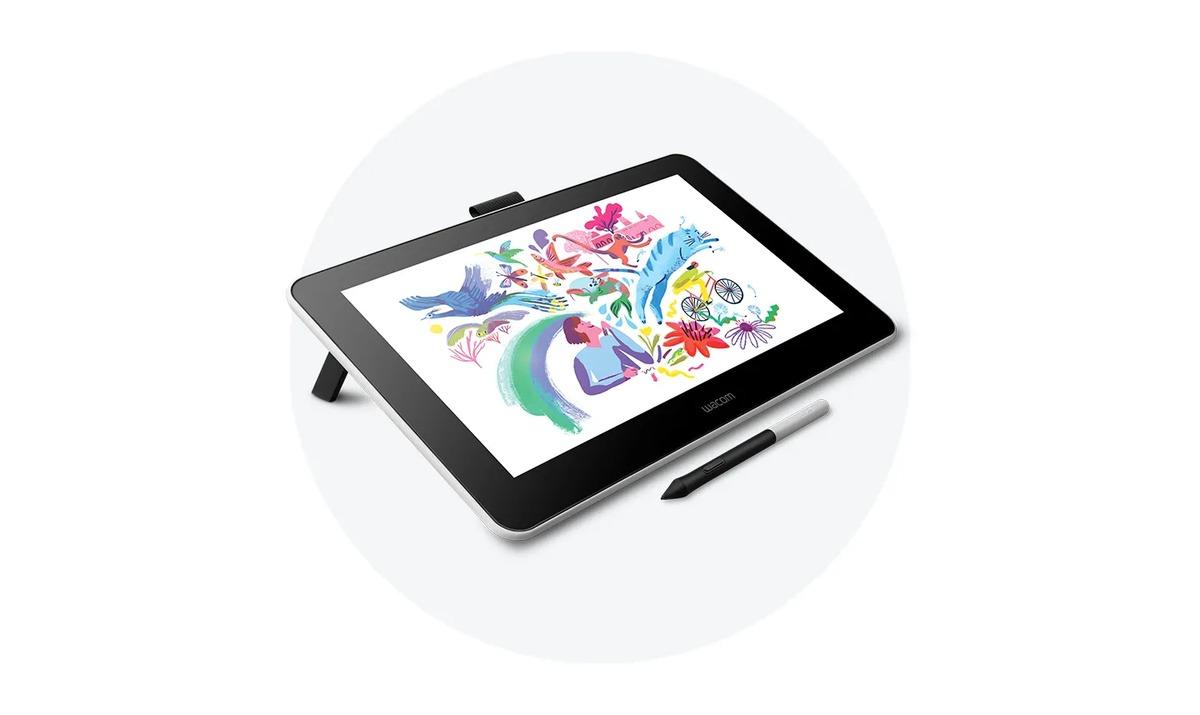
When the Wacom Intuos Pro Medium first arrived, the unboxing itself felt like an event. You immediately get a sense of quality even before you touch the tablet. The packaging is sleek, minimal, and secure, hinting at the premium product inside. Pulling the tablet out, the first thing that struck me was its robust build. It feels incredibly solid, yet surprisingly slim and lightweight. It’s clear that Wacom puts a lot of thought into the materials and construction. The active area is generous for a „medium“ size, offering ample space without demanding an entire desk to itself – a crucial balance for my somewhat cluttered workspace.
Then there’s the Wacom Pro Pen 2. This isn’t just a stylus; it’s an extension of your hand. It has a comfortable weight, a nice matte finish that provides a good grip, and the two programmable side buttons are perfectly placed for quick access without accidental presses. The pen stand is also a neat little accessory, doubling as a safe home for extra nibs. It’s these small details that build up the overall experience, letting you know that you’re investing in a tool designed for professionals. Setting it up was a breeze, too. Plug it in, install the drivers, and within minutes, I was already customizing my ExpressKeys and feeling out the new surface.
If you’re looking to upgrade your digital workflow, you can check out the official Wacom store right here: Visit Official wacom intuos pro medium Website Now
Diving Deep: The Features That Make a Difference
Now, let’s get into the heart of what makes the Wacom Intuos Pro Medium such a powerhouse. It’s not just one killer feature; it’s a symphony of thoughtful design and cutting-edge technology working together.
The Wacom Pro Pen 2: Precision Perfected
This pen is, without a doubt, the star of the show. With 8192 levels of pressure sensitivity, it feels incredibly responsive. When I’m sketching, pressing lightly produces a faint, delicate line, while a firmer touch gives me a bold, opaque stroke – just like a real pencil or brush. The tilt recognition is equally impressive, mimicking how a physical brush or charcoal stick would behave as you change its angle. This level of nuance allows for incredibly expressive work, making the transition from traditional art forms to digital much more seamless. What I particularly love is that it’s battery-free, thanks to Wacom’s electromagnetic resonance technology. No charging, ever. It’s always ready to go, which is a huge convenience when you’re in the zone. The customizable side buttons are fantastic for quick actions like switching brushes or activating the eyedropper tool in Photoshop, saving me countless trips to the keyboard.
The Drawing Surface: A Tactile Experience
The surface of the Intuos Pro Medium offers a pleasant friction that feels surprisingly natural. It’s not slick and glassy like some screens; instead, it has a subtle texture that gives you a sense of resistance, much like drawing on paper. This tactile feedback is crucial for control and comfort over long sessions. I initially worried about wear and tear on the nibs, but they hold up quite well, and Wacom provides a good selection of replacement nibs in the pen stand, including felt and flex nibs, allowing you to customize the drawing feel even further. I tend to stick with the standard ones for most of my work, but it’s nice to have options.
ExpressKeys and Touch Ring: Your Command Center
Oh, the ExpressKeys! These eight customizable buttons, along with the multi-function Touch Ring, are brilliant for speeding up my workflow. I’ve programmed mine for common actions like undo, redo, zoom in/out, changing brush sizes, and switching layers. Once you get them set up to your liking, they become second nature, and you’ll wonder how you ever worked without them. The Touch Ring, in particular, is ingenious. I use it constantly for zooming and rotating my canvas, or adjusting brush opacity. It’s fluid and responsive, making those repetitive tasks effortless.
Multi-Touch Gestures: Intuitive Control
Beyond the pen, the Intuos Pro Medium also supports multi-touch gestures, just like your smartphone or trackpad. This means you can pinch to zoom, pan, and rotate your canvas with your fingers, providing an alternative and often faster way to navigate your workspace. While I primarily use the pen, these gestures are super handy for quick adjustments or when I want to step back and look at the bigger picture without picking up the pen. You can even customize these gestures, though I find the default settings work perfectly for me.
Connectivity: Wireless Freedom
The option for both USB and Bluetooth connectivity is fantastic. For my main workstation, I usually keep it plugged in via USB, ensuring a rock-solid connection and continuous charging. However, being able to go wireless via Bluetooth is a huge plus, especially if you like to work from different spots on your desk, or even from a comfy chair away from your monitor. The wireless connection has been stable and reliable in my experience, with no noticeable lag, which is vital for precise work.
The Medium Size: Just Right
I specifically chose the medium size, and I’ve found it to be the sweet spot. It offers a generous active drawing area that allows for broad, sweeping strokes without feeling cramped, yet it doesn’t dominate my desk. For me, it strikes a perfect balance between workspace and portability. If you’re doing highly detailed work that requires very long, unbroken lines, a large might be beneficial, but for most illustration, photo editing, and graphic design tasks, the medium size is absolutely ideal. It’s big enough to be comfortable for my arm movements but small enough to fit easily into my bag if I need to take it on the go.
My Workflow and Personal Experience
How does all this translate into actual day-to-day use? For me, the Wacom Intuos Pro Medium has become an extension of my creative thought process.
In **Photoshop**, it’s a dream for photo retouching. Making precise selections, painting masks, or dodging and burning specific areas becomes intuitive. The pressure sensitivity allows for incredibly subtle adjustments, mimicking traditional darkroom techniques. When I’m illustrating, the pen’s responsiveness means I can achieve flowing lines and varied strokes that would be impossible with a mouse.
For **Illustrator**, creating vector art is far more fluid. Drawing complex shapes or manipulating anchor points with the pen feels natural, and I can work much faster and with greater accuracy than using a mouse or even a trackpad.
I also dabble in **Clip Studio Paint** and **ZBrush**. In Clip Studio Paint, the inking tools truly shine with the Pro Pen 2, allowing for crisp, varied line weights. And in ZBrush, sculpting with the pen feels like working with digital clay – the pressure sensitivity translates directly into how much I push or pull the surface of my model, giving me a level of control that’s essential for organic forms.
The learning curve for the basic functions is minimal if you’ve used a tablet before. But truly mastering the ExpressKeys and Touch Ring to optimize your personal workflow takes a little time and experimentation. Once you’ve got them dialed in, though, your productivity soars. I remember spending way too much time navigating menus or using keyboard shortcuts; now, many of those actions are literally at my fingertips. This efficiency frees up my mental energy to focus purely on the creative process, which is invaluable.
Here’s another chance to experience this amazing device for yourself: Visit Official wacom intuos pro medium Website Now
What Others Are Saying: Real User Feedback
It’s not just my glowing opinion! I’ve seen countless artists and designers express their appreciation for the Wacom Intuos Pro Medium. Here are a few sentiments I’ve heard echoed:
* „I’ve been using Intuos tablets for years, and the Pro Medium is by far the best upgrade. The pen sensitivity is unreal, and the texture on the surface feels so much better than my old model. Worth every penny for a professional.“ – Sarah L., Illustrator
* „As a photographer, precision is everything. The Intuos Pro Medium gives me incredible control for retouching portraits and fine-tuning landscape shots. It’s made my workflow so much faster and more accurate than relying on a mouse.“ – David P., Photographer
* „I was hesitant about the investment, but after a month with the Wacom Intuos Pro Medium, I can’t imagine working without it. The customizable buttons on the tablet and pen shave so much time off my creative process. It just *feels* right.“ – Emily R., Graphic Designer
* „My old entry-level tablet just couldn’t keep up with my demands for detail. The Wacom Intuos Pro Medium is a night and day difference. The wireless feature is surprisingly stable, and I love not having another cable cluttering my desk.“ – Alex V., Concept Artist
Pros and Cons: My Balanced View
No product is perfect, but the Wacom Intuos Pro Medium comes pretty darn close for its category.
The Good Stuff (Pros):
* **Unrivaled Pen Performance:** The Wacom Pro Pen 2 is simply the best in class for pressure sensitivity, tilt response, and comfort. Being battery-free is a massive convenience.
* **Premium Build Quality:** It feels incredibly durable and well-made, ready to withstand years of heavy use.
* **Excellent Drawing Surface:** The textured surface provides a natural, paper-like feel that aids in control.
* **Workflow Enhancer:** ExpressKeys and Touch Ring are game-changers for productivity once customized.
* **Versatile Connectivity:** Both USB and reliable Bluetooth options offer flexibility.
* **Just the Right Size:** The medium offers a great balance of active area and desk footprint.
* **Software Compatibility:** Works seamlessly with virtually all major creative software.
Things to Consider (Cons):
* **The Price Tag:** This is a professional tool, and it comes with a professional price. It’s an investment, but one that pays off if you’re serious about digital art.
* **Surface Wear:** Over time, with heavy use, the drawing surface can show minor wear, and nibs will need replacing. This is natural, but something to be aware of.
* **Driver Quirks (Rare):** While generally very stable, like any peripheral, occasional driver updates or re-installations might be needed to resolve minor glitches. I’ve personally experienced very few issues, but it’s not unheard of.
* **Learning Curve for Optimization:** While easy to get started, fully utilizing all the customizable features to their maximum potential takes some time and effort.
Who Is the Wacom Intuos Pro Medium For?
This isn’t just a tablet; it’s an investment in your craft. So, who stands to benefit the most from the Wacom Intuos Pro Medium?
* **Professional Digital Artists and Illustrators:** If your livelihood depends on your digital art, the precision and efficiency offered by this tablet are indispensable.
* **Graphic Designers:** For creating logos, layouts, and intricate designs, the control it offers is superior to a mouse.
* **Photographers and Retouchers:** The ability to make incredibly precise selections and subtle adjustments is a huge advantage.
* **Serious Hobbyists:** If you’re passionate about digital art and want to take your skills to the next level, this tablet will grow with you.
* **Anyone transitioning from traditional art:** The natural feel of the pen and surface makes the leap to digital much less daunting.
If you’re just casually doodling once a month, an entry-level Intuos might suffice. But if you spend hours every day or week working on creative projects, the Wacom Intuos Pro Medium will significantly enhance your experience and output.
Maintenance and Longevity
Taking care of your Wacom Intuos Pro Medium is pretty straightforward. I regularly wipe down the surface with a soft, damp cloth to keep it clean. Replacing nibs when they start to wear down is important not only for the drawing experience but also to prevent potential scratching of the tablet surface. The tablet itself is built to last. I know artists who have used their Wacom tablets for well over a decade, and with proper care, I fully expect this one to have a very long and productive life on my desk. It’s definitely not one of those gadgets you replace every couple of years.
Final Thoughts: A Creative Companion
After countless hours spent drawing, designing, and perfecting projects with my Wacom Intuos Pro Medium, I can confidently say it’s one of the best investments I’ve made in my creative career. It’s more than just a piece of hardware; it’s a tool that genuinely empowers creativity, provides unparalleled precision, and streamlines my workflow in ways that truly matter. The feel of the Pro Pen 2, the tactile feedback of the surface, the sheer customizability – it all adds up to an exceptional user experience.
If you’re serious about digital art, design, or photography and you’re looking for a reliable, high-performance pen tablet that will truly elevate your work, then the Wacom Intuos Pro Medium should be at the very top of your list. It’s a professional-grade device that delivers on its promises, session after session, year after year.
Ready to transform your digital creative process? You can find more details and make your purchase directly from the official store. It’s a decision you won’t regret.


Das könnte dich auch interessieren

Unlocking Value: My Deep Dive into Joe’s New Balance Outlet Deals

My Kikoff Journey: Boosting My Credit Score When I Thought It Was Impossible