Diving Deep with Rayneo Air 3S: My Everyday Smart Glasses Experience
Hey everyone! If you’re anything like me, you’re constantly on the lookout for tech that genuinely enhances your daily life, not just adds another gadget to your collection. For a while now, I’ve been fascinated by the concept of smart glasses – that blend of augmented reality and personal display, all wrapped up in something that looks relatively normal. I’ve tried a few over the years, some promising, some… well, let’s just say they didn’t quite stick.
But then the Rayneo Air 3S landed on my desk, and let me tell you, it’s been a game-changer. I’ve spent the last several weeks putting these smart glasses through their paces, incorporating them into my work, my commute, and even my downtime at home. And I’m ready to spill all the details about what it’s truly like to live with the Rayneo Air 3S.
From the moment I unboxed them, I had a good feeling. The packaging itself was sleek, minimalist, and gave off a premium vibe. You know that feeling when you open something new and it just *feels* right? That was it. Inside, neatly tucked away, were the glasses, a charging cable, and a few different nose pads, which immediately told me Rayneo put thought into user comfort.
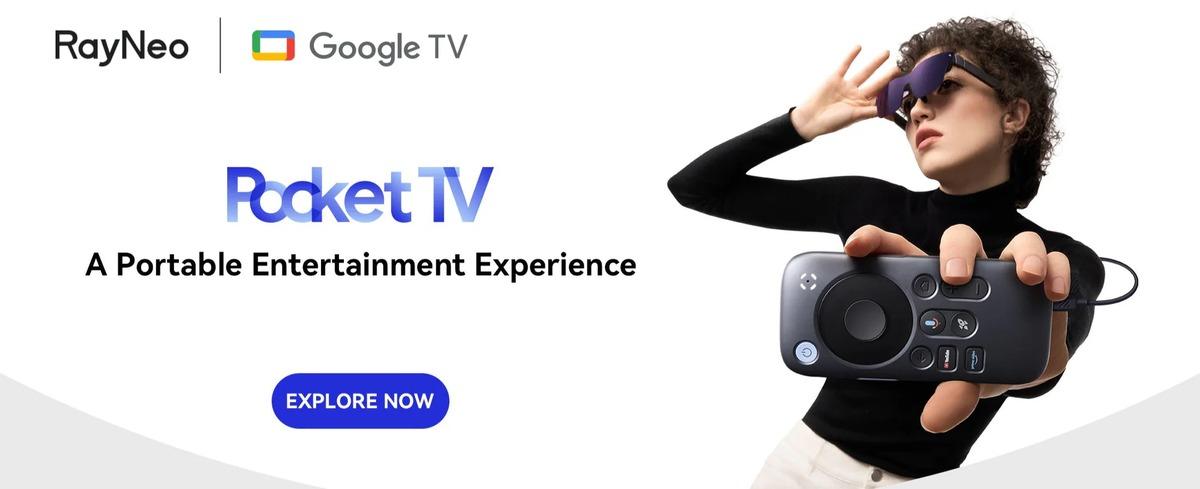
My first impression pulling out the Rayneo Air 3S was just how light they are. I mean, surprisingly light. My previous experiences with smart glasses often involved bulky designs or a noticeable weight that screamed „tech on my face.“ The Rayneo Air 3S, however, felt much more like a regular pair of sunglasses. The design is understated, with a subtle techy flair that doesn’t scream for attention. This was a big win for me right off the bat, as discretion is key if you actually want to wear these things out and about.
Setting them up was a breeze. I plugged them into my phone via a USB-C cable (they work with a wide range of devices, which is fantastic – more on that later), and within seconds, I had a crisp, clear virtual display floating in front of me. No complicated app downloads, no lengthy pairing processes. Just plug and play. This ease of use is something I really appreciate, especially when trying to integrate new tech into an already busy schedule.
The Visuals: A Personal Cinema on Your Face
Let’s talk about the main event: the display. The Rayneo Air 3S boasts a 0.55-inch Micro-OLED display with a reported 2D brightness of 1800 nits. What does that mean in plain English? It means it’s bright, vibrant, and looks absolutely stunning. The virtual screen size is equivalent to a 201-inch screen viewed from six meters away, which gives you a truly immersive, expansive field of view.
I’ve watched countless hours of movies and TV shows through these glasses, and it’s genuinely like having a private cinema wherever I go. The colors pop, the blacks are deep, and the clarity is fantastic. I even tried some gaming – streaming from my Xbox Cloud Gaming subscription – and the experience was surprisingly good. The immersion is next level, especially when you’re just trying to zone out on a flight or during your lunch break. I found myself noticing details in movies I’d watched a hundred times before, simply because the screen felt so big and all-encompassing.
One evening, I decided to re-watch a favorite sci-fi film using the Rayneo Air 3S. My partner was engrossed in their own show on the living room TV, but I was completely transported. The huge virtual screen, combined with the surprisingly good audio (we’ll get to that!), made it feel like I was in my own private screening room. There was no glare, no reflections, and no distraction from the real world around me. This level of personal immersion for entertainment is something I hadn’t truly experienced before with other devices.
Comfort and Design: Can You Wear Them All Day?
This is where many smart glasses fall short. They might have a great display, but if they pinch your nose, dig into your ears, or just feel too heavy, they end up gathering dust. The Rayneo Air 3S, however, passed my „all-day wear“ test with flying colors. Weighing in at just 76g, they’re incredibly light. The adjustable nose pads meant I could find a perfect fit for my face, and the arms sat comfortably over my ears without causing any pressure points.
I wore them on a four-hour train journey, first for some work (more on productivity later) and then for a couple of movies. Not once did I feel the need to take them off due to discomfort. They didn’t leave any marks on my nose, and I barely noticed them after a while. This is a huge testament to the thoughtful engineering behind the Rayneo Air 3S. It’s clear they prioritized wearability.
The aesthetics are also pretty subtle for smart glasses. They blend in well enough that people don’t immediately do a double-take. They look a lot like stylish, slightly chunky sunglasses, which is exactly what you want if you’re going to use them in public.

Audio Experience: Surprisingly Rich and Private
Okay, so we have incredible visuals. But what about sound? Often, built-in speakers on smart glasses can be tinny or suffer from massive sound leakage, making them unusable in quiet public spaces. Rayneo seems to have tackled this head-on.
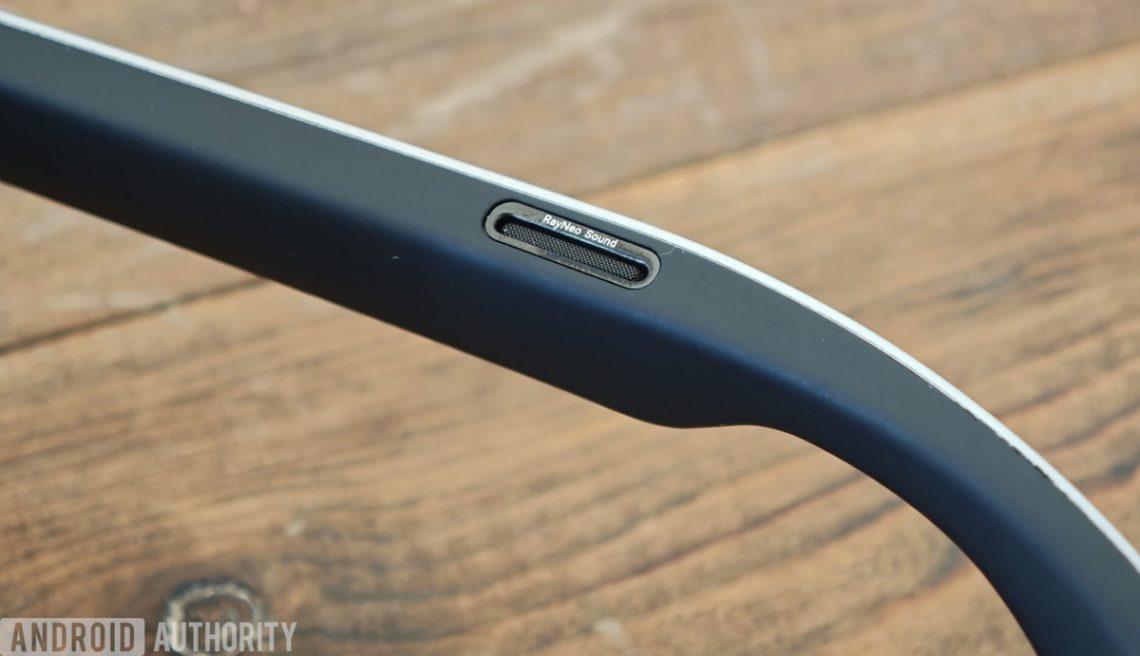
The Rayneo Air 3S features two open-ear speakers with what they call „Whisper Mode 2.0.“ And let me tell you, it works. The sound is surprisingly rich and full for open-ear speakers. Dialogue in movies is clear, and music has a decent range. Crucially, I could listen to my content without bothering people sitting next to me on the train. I did a little test – I played some music at a comfortable listening volume, and my partner, sitting about three feet away, could barely make out what was playing. This privacy aspect is a massive plus for public transport, office environments, or just sharing a room without imposing your audio on others. Of course, for absolute immersion and the best sound quality, plugging in your own wired headphones is always an option.
Connectivity and Versatility: Your Portable Screen for Everything
One of the standout features of the Rayneo Air 3S is its incredible versatility. It connects via a simple USB-C cable, which means it’s compatible with a vast array of devices. I tested it with my Samsung Galaxy phone, my MacBook Pro, and even my Steam Deck. Each time, it was instant plug-and-play.
* **Smartphone:** Instantly gives you a massive screen for watching videos, browsing, or even doing some light typing. It truly transforms your phone into a portable desktop experience.
* **Laptop/Desktop:** Ever wanted a second monitor on the go? Or a *giant* single monitor that fits in your backpack? The Rayneo Air 3S delivers. I’ve used it for coding, writing, and even managing emails. It provides that extra screen real estate without the bulk of carrying an actual portable monitor.
* **Gaming Consoles (Portable/Handheld):** This is where it gets really fun. Connecting it to my Steam Deck was magical. Playing AAA games on a screen that large, while still being able to see my keyboard/mouse or controller, was an experience I didn’t know I needed. It makes the Steam Deck even more portable in terms of screen size, removing the need to squint at the small built-in display.
* **Tablets:** Similar to phones, it magnifies your tablet experience dramatically.
This broad compatibility makes the Rayneo Air 3S an incredibly powerful tool for a diverse range of users, from digital nomads to entertainment junkies.
Visit Official rayneo air 3s Website Now
Real-World Use Cases: Where the Rayneo Air 3S Shines
I wanted to really integrate these into my routine, not just test them in a lab setting. Here’s how the Rayneo Air 3S became surprisingly indispensable for me:
* **The Commute Conqueror:** My daily train ride used to be a mix of scrolling on my phone or reading a book. Now, it’s my personal cinema or productivity hub. I can easily catch up on a show without worrying about battery life on my phone (since the glasses draw power from the connected device, but very efficiently) or getting distracted by people around me. For work, I can connect them to my laptop and have a huge, private screen for documents or spreadsheets. It’s fantastic for reviewing things without prying eyes over your shoulder.
* **Productivity Powerhouse:** As someone who often works remotely or travels for work, having a portable, large display is invaluable. I’ve used the Rayneo Air 3S to extend my laptop screen, giving me the space I need for coding and writing without feeling cramped. It’s not quite a multi-monitor setup, but for a single, giant screen that’s entirely private, it’s superb. I found myself less prone to distraction because my focus was entirely on the content within the glasses. It truly minimizes external visual noise.
* **Entertainment Everywhere:** This is probably where most people will find the most immediate joy. From binge-watching Netflix on a plane to enjoying YouTube videos while lying on the couch, the experience is consistently impressive. Even casual mobile games felt more engaging when played on such a large virtual screen.
* **Casual Browsing:** Sometimes I just want to browse Reddit or catch up on news articles without holding up my phone. Popping on the Rayneo Air 3S and having that giant screen float in front of me for reading is surprisingly comfortable and less fatiguing on the eyes than staring down at a small phone screen for extended periods.
Battery Life: How Long Can You Go?
The Rayneo Air 3S glasses don’t have their own internal battery. They draw power from the device they’re connected to. This is both a pro and a con, but mostly a pro in my book.
* **Pro:** No need to charge *another* device. One less cable, one less charger to carry. As long as your phone, laptop, or Steam Deck has juice, the Rayneo Air 3S will work. This also means no degradation of an internal battery over time in the glasses themselves.
* **Con:** It will drain your connected device’s battery faster. However, I found the power draw to be quite efficient. When connected to my Samsung phone, I could easily get through a 2-3 hour movie session and still have plenty of phone battery left for the rest of the day. If you’re planning an all-day binge, you might want a portable power bank for your phone/laptop anyway, which is standard practice for mobile tech.
What I Really Loved About the Rayneo Air 3S
* **Stunning Display:** Seriously, the clarity, brightness, and size are phenomenal. It’s the closest I’ve felt to having a truly portable, immersive cinema.
* **Exceptional Comfort:** Lightweight and well-designed, I could wear them for hours without any discomfort. This is crucial for actual daily use.
* **Plug-and-Play Simplicity:** No fuss, no complex setup. Just connect and go. This low barrier to entry makes a huge difference.
* **Versatile Compatibility:** The USB-C connection means I could use it with almost all my devices. It’s a true multi-platform companion.
* **Discreet Audio:** Whisper Mode 2.0 is a lifesaver for public use, providing good audio quality without disturbing others.
* **Subtle Design:** They look much more like regular glasses than most smart glasses, making them practical for everyday wear.
A Few Thoughts on Improvement
No product is perfect, and while the Rayneo Air 3S gets a lot right, there are always areas for future iterations to explore.
* **Brightness in Direct Sunlight:** While the screen is bright, like most displays, very strong direct sunlight can make it a little harder to see. It’s fantastic indoors and on cloudy days outdoors, but a future iteration might explore even higher peak brightness or adaptive tinting.
* **No Internal Battery:** While I listed this as a pro for convenience, for some, an optional internal battery (perhaps in an accessory module) might be appealing for absolute independence from a host device’s power.
* **No Integrated Camera/AR Features (Beyond Display):** The Rayneo Air 3S is primarily a *display* device, not a full-blown augmented reality powerhouse with environmental scanning and overlays. For what it sets out to do, it excels. But if you’re hoping for advanced AR capabilities like mapping digital objects onto the real world, this isn’t that. It’s a personal screen, and a brilliant one at that.
Visit Official rayneo air 3s Website Now
What Others Are Saying
I’ve been chatting with a few friends and fellow tech enthusiasts who’ve also picked up the Rayneo Air 3S, and their experiences largely mirror my own.
„I travel a lot for work, and I swear, the Rayneo Air 3S has made flights so much more bearable. Watching a movie on that huge screen just makes the time fly by. Plus, I don’t have to worry about the person next to me seeing what I’m watching.“ – *Mark T., frequent flyer*
„As a developer, I’m always looking for ways to maximize my screen real estate. I hook these up to my laptop, and suddenly I have this massive, private display for my code. It’s not a true multi-monitor setup, but for focused work in a cafe, it’s perfect.“ – *Sarah L., software engineer*
„I was skeptical about smart glasses, especially comfort. But the Rayneo Air 3S felt so good right out of the box. I wear prescription glasses, and these fit over them pretty well, which was a pleasant surprise. The display is super clear even with my vision correction.“ – *David K., tech enthusiast*
„I primarily use them with my Steam Deck for gaming on the go. It seriously elevates the experience. It feels like I’m playing on a huge TV, but I’m just sitting on my patio. The audio is pretty good too for built-in speakers, which means one less thing to carry.“ – *Jessica P., casual gamer*
Who is the Rayneo Air 3S For?
In my opinion, the Rayneo Air 3S is perfect for:
* **Travelers and Commuters:** Those who spend a lot of time on planes, trains, or buses and want a private, immersive entertainment or productivity solution.
* **Digital Nomads and Remote Workers:** Anyone who needs a portable, large display for work on the go without the bulk of a traditional monitor.
* **Entertainment Enthusiasts:** Movie buffs, binge-watchers, and cloud gamers who want a personal, cinematic experience anywhere.
* **Tech Early Adopters:** If you love trying new tech and appreciate a well-executed product in an emerging category.
My Final Thoughts on the Rayneo Air 3S
The Rayneo Air 3S has genuinely impressed me. It’s not trying to be everything to everyone; instead, it focuses on doing one thing exceptionally well: providing an outstanding, immersive, and comfortable personal display experience. It addresses many of the pain points I’ve had with previous smart glasses – particularly comfort and ease of use – and delivers a premium visual and audio experience.
If you’re looking to upgrade your mobile entertainment, boost your on-the-go productivity, or simply explore the future of personal displays, the Rayneo Air 3S is a seriously compelling option. It’s earned a permanent spot in my tech bag, and I can’t recommend giving them a try enough.
Ready to experience your personal cinema or productivity hub? Check out the official Rayneo website for more details and to grab your own pair.


Das könnte dich auch interessieren

Unlocking Beauty on a Budget: My SHEGLAM Journey and Must-Have Picks!

Unlocking Hair Magic: My Personal Journey with Kevin Murphy Products